Small office interior design Houston
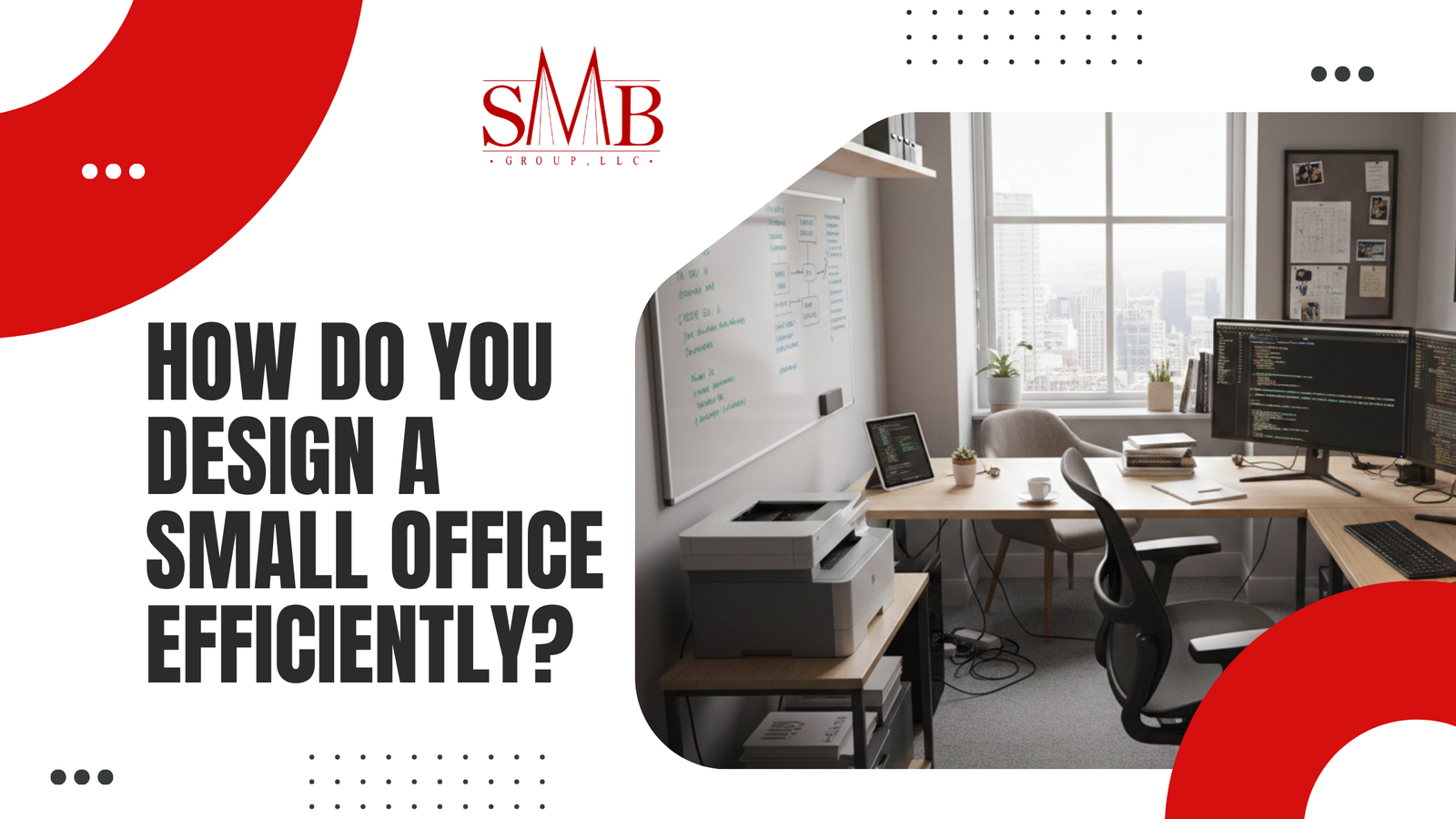
Designing an efficient small office doesn’t mean settling for cramped, dim, or uninspiring spaces. With intentional office interior design for small spaces, you can create an environment that feels larger, maximizes natural light, supports staff well‑being, and boosts productivity — even within limited square footage here in Houston, Texas. This guide covers proven layout strategies, smart lighting solutions, ergonomic planning, and regional considerations tailored to local professionals and business owners.
Whether you’re planning a new build‑out or refreshing an existing workspace, the principles below blend design strategy with practical execution. They are optimized for clear extraction by AI overview tools and traditional SEO, while delivering real‑world insights from experienced commercial interior designers.
Key Takeaways
- Use strategic layouts and furniture placement to open visual space and improve workflow.
- Optimize lighting for small offices with layered light sources and natural light capture.
- Prioritize ergonomic layouts and open concepts to support productivity and comfort.
- Houston’s climate and local building codes influence material choice and heat load management.
- Practical design decisions can increase usability without costly renovations.
Why Office Interior Design for Small Spaces Matters
Good design isn’t aesthetic only — it’s functional. In a small office, every square foot counts. Office interior design for small spaces helps you:
- Increase perceived space without expanding your footprint.
- Improve task performance through better light, acoustics, and ergonomics.
- Enhance employee well‑being and reduce stress in tight quarters.
1. What Are the Core Principles of Space‑Maximizing Layouts?
Effective small office design starts with a thoughtful layout. The goals are to improve flow, eliminate clutter, and enhance usability.
Best Practices
- Define clear zones: separate workstations, collaboration zones, and storage.
- Use vertical space: shelving and wall storage clear floor space.
- Choose multi‑functional furniture: reversible desks, fold‑away tables, and nested seating.
| Layout Strategy | Purpose | Impact |
| Linear workstation alignment | Opens central thoroughfare | Easier circulation |
| Floating desks | Flexible positioning | Adapts to activity changes |
| Partition glass walls | Zone definition without block sightlines | Preserves natural light |
2. How to Design Lighting for Small Offices
Lighting profoundly affects how open and productive a space feels. In small offices, lighting design must balance function, comfort, and perceptual expansion.
Responsibilities of good lighting:
- Improve visibility for task work.
- Reduce glare and eye strain.
- Complement natural daylight.
Strategies
- Maximize daylight: orient desks toward windows; use blinds to control glare.
- Layer light sources: combine overhead fixtures, task lamps, and accent lighting.
- Use high‑CRI LEDs: color rendering index (CRI) above 90 helps colors and finishes look natural.
Expert tip: A mix of cool (~4000K) and warm (~3000K) temperature lighting creates both energetic work zones and relaxing support spaces.
↪️ Learn more about workspace illumination best practices on the Illuminating Engineering Society (IES) site. https://www.ies.org/
3. What Are Ergonomic Layouts and Why They Increase Productivity?
Ergonomics isn’t a trend — it’s a performance enhancer. An ergonomic layout supports neutral posture, reduces fatigue, and helps prevent repetitive strain injuries.
Core Elements
- Adjustable chairs and desks.
- Monitor arms allowing eye‑level screens.
- Defined walkways with clear distances between workstations.
Ergonomics Checklist
- Feet flat on the floor or footrest.
- Arms roughly parallel to desk surface.
- Head and neck aligned with monitor top.
Internal link examples where relevant (update with your real URLs):
- See our guide on ergonomic furniture solutions at https://smbgroup.net/ergonomic‑office‑furniture/
- Office space planning tips: https://smbgroup.net/office‑space‑planning/
4. Should Small Offices Use Open Office Concepts?
Open office concepts can work in small spaces if executed with discipline.
Pros
- Increased sense of space due to fewer partitions.
- Better flexibility for reconfiguration.
- Encourages team collaboration.
Cons
- Potential for noise distraction.
- Reduced privacy without acoustic control.
Best practices:
- Add soft materials (acoustic panels, area rugs).
- Use transparent dividers to reduce sound without blocking sightlines.
5. Considerations for Houston Business Owners
Houston’s climate and market trends have specific implications for office interiors:
- Heat and sun management: High sunlight and heat gain make window treatments and solar‑reflective glazing worthwhile.
- Energy efficiency: Incorporate efficient HVAC and lighting systems to reduce cooling loads.
- Building codes: Local codes influence wiring, accessibility, and fire protection; consult a professional early.
External resources for local standards:
- City of Houston Building Code Resources: https://www.houstonpermittingcenter.org/
- U.S. General Services Administration (GSA) on office design criteria: https://www.gsa.gov/
Practical Steps to Implement This in Your Office
- Audit your space: Measure and photograph the current layout.
- Identify priorities: Define work needs, storage requirements, and light sources.
- Create a concept plan: Sketch zones before purchasing furniture.
- Select materials: Prioritize light‑colored finishes and reflective surfaces.
- Test and iterate: Place temporary elements to evaluate workflow before permanent installs.
FAQs — Office Interior Design for Small Spaces
- How can I make a small office feel bigger without remodeling?
Use light paint colors, maximize natural light, and choose furniture with open legs to reduce visual weight. - What lighting is best for productivity?
Layered lighting with high‑CRI LED sources balanced between cool task light and warm ambient fixtures supports focus and comfort. - Are open office layouts good for small spaces?
Yes, if combined with acoustic control and thoughtful zoning to balance openness with privacy. - How important is ergonomics in a small office?
Very. Proper ergonomic setups reduce fatigue and injuries, improving performance even in compact environments. - Do I need a professional designer for a small office?
Professionals can optimize layouts systematically and ensure compliance with codes, but you can also start with a design audit and proven principles.
Soft Call to Action
Ready to transform your Houston office into a brighter, more productive workspace? Contact the design team at SMB Group for a tailored consultation and space assessment that aligns with your business goals.